Drafting that cites the rule.
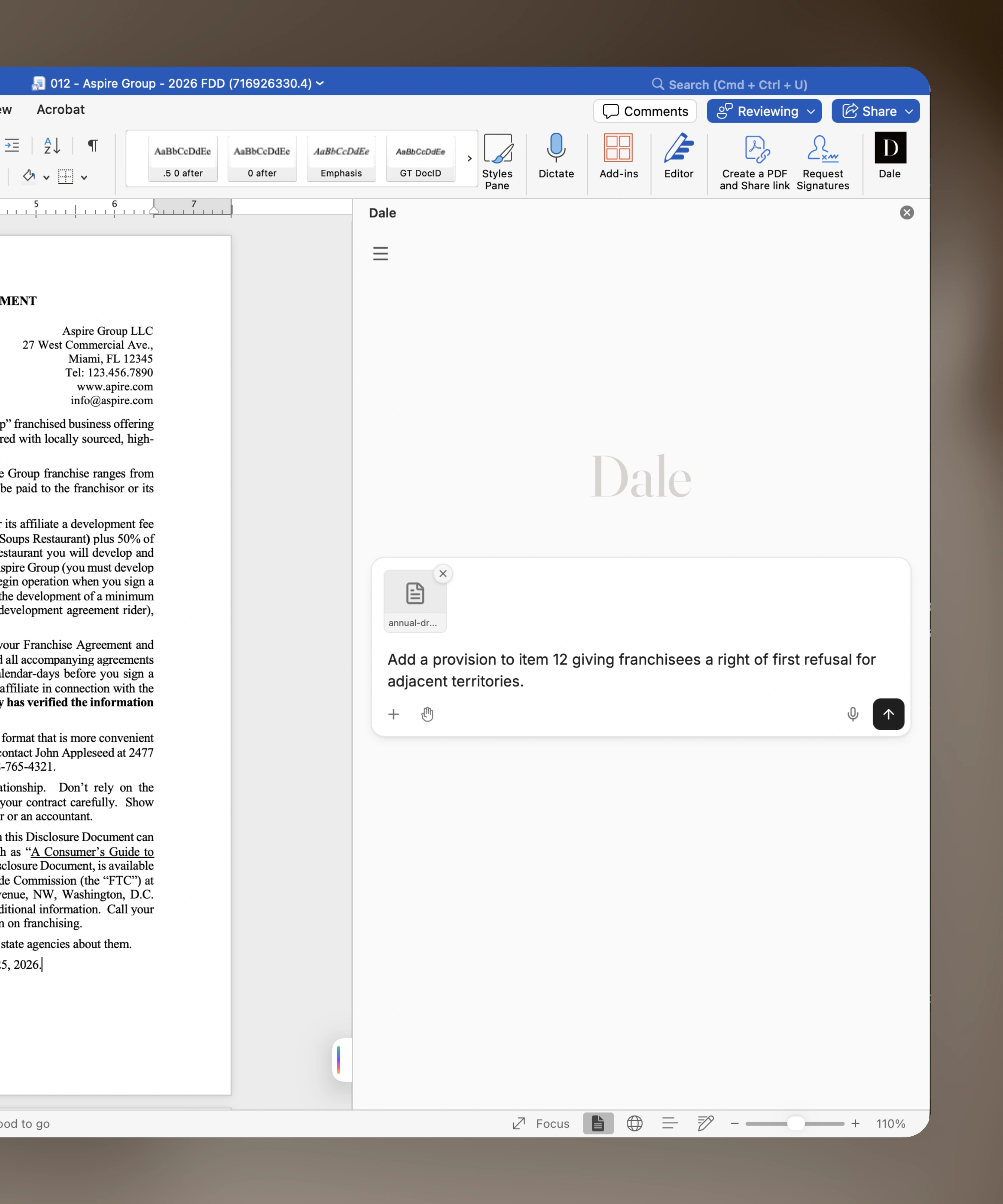
Ask for language in the document you are editing. Dale applies it as a tracked change, grounded in the rule.

The annual update
is never just an update.
New numbers, new rules,
new addenda.
The hours go into the language.
Ask for it instead.
It lands as a tracked change,
grounded in the rule.

Ask for the provision.
Review the redline.
Draft or revise
Ask for language that is not there yet, or rework what is. Dale writes against the document you have open.
Delivered as a tracked change
Proposed language lands in the document as a Word tracked change. Accept it, edit it, or reject it.
Grounded in the rule
Every change is tied to the authority behind it. You can see why the language reads that way.
FAQs
What is Dale for Word?
An add-in for Microsoft Word. While you edit an FDD, tell Dale what you need, such as "Raise the initial fee to $45,000" or "Add a right of first refusal to Item 12," and it writes the language and places it in your document as a tracked change.
How do the edits show up?
As ordinary Word tracked changes. Accept, reject, or edit each one the same way you would a colleague's markup. Nothing is final until you accept it.
Can one request update several places in the FDD?
Yes. If a change touches more than one item, such as a new fee that appears in both Item 5 and Item 7, Dale proposes an edit in each place, each as its own tracked change.
Does Dale explain why it wrote something?
Yes. Each edit notes the rule or requirement behind it, so you can see why the language reads the way it does before you accept it.
Is this the same as Dale Review?
No. Dale for Word lets you review the changes you made in the document, then hands the filing off to Dale Review.